OBDocker - OBD2 Car Scanner
Motorsure INC.Auto & Vehicles
4.1288.00 Reviews
- Version
- 3.2.6
- Installs
- 1.00M
- Age Rating
- Everyone
Screenshots
Our Review of OBDocker - OBD2 Car Scanner
 Analysis by Appyee
I’d start by asking what I want an OBD2 app to do: help me understand a warning light, give me a quick look at engine readings, or support a more involved maintenance routine? Those are related jobs, but they call for different levels of patience and car knowledge. OBDocker - OBD2 Car Scanner is most appealing when I want to pair a phone with a compatible adapter and explore diagnostic information myself, rather than treating every dashboard alert as a mystery.
It is an Auto & Vehicles app from Motorsure INC., and its core appeal is the bridge it creates between a car’s OBD2 system and a phone. It is free to install, rated for Everyone, and has a 4.3 average from around 34,000 ratings, with over one million installs. Those figures suggest that it has found an audience, but they don’t tell me whether it fits every car or every owner. The practical question is whether I’m comfortable connecting an adapter and interpreting what the app shows.
What to decide before you install
The first purchase decision is not the app: it is the adapter. OBDocker needs an OBD2 adapter to communicate with the vehicle, so I would check that an adapter is compatible with both the car and the phone before buying one. The app itself is free, though optional in-app purchases range from $0.99 to $119.99 per item. I’d look at the purchase details in the app before assuming a particular tool or workflow is included at no extra cost.
There is also a useful distinction between reading information and diagnosing a fault. A code can point toward a system or condition that needs attention, but it is not automatically a complete explanation of what caused the problem. I’d use the app to gather clues, then consider the vehicle’s symptoms and seek a qualified diagnosis when a warning is serious or the cause is unclear. That approach makes a scanner more useful and helps avoid treating a cleared warning as a repair.
Getting Started with OBDocker
First things first, getting started with OBDocker - OBD2 Car Scanner is a breeze. The app is available for both Android and iOS, so you've got all your bases covered. Once you download and install it, you’ll need an OBD2 adapter. Don’t worry, these adapters are quite affordable and readily available online. Just plug it into your car’s OBD2 port, usually found under the dashboard, and you’re set.
The app pairs seamlessly with the adapter via Bluetooth. I was impressed by how quickly the connection was established. The interface is clean and intuitive, making it perfect for both tech-savvy users and those who might not be as familiar with car diagnostics.
Features Galore
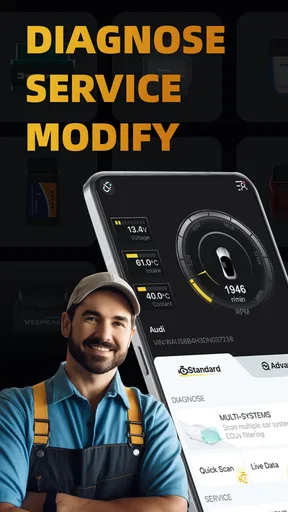
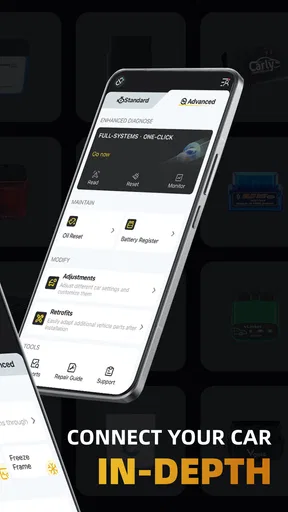
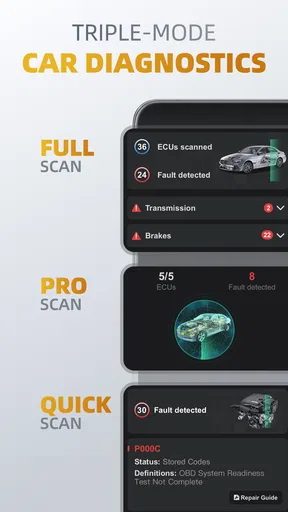
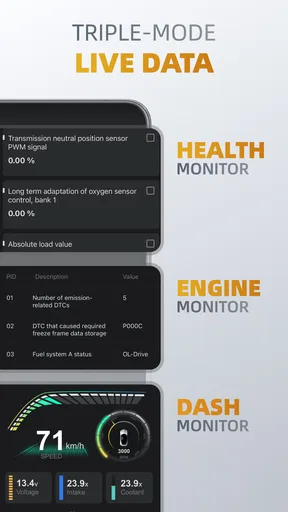
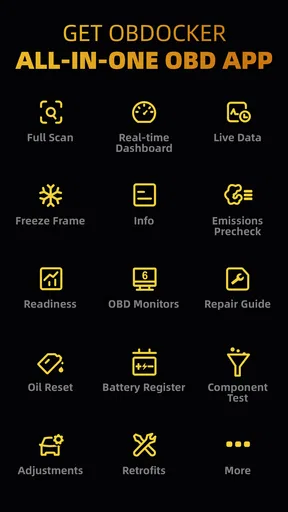
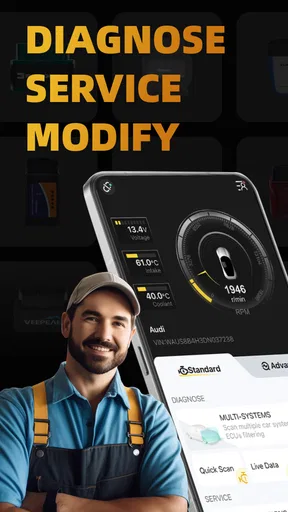
Now, let's dive into the features. The app offers a comprehensive suite of tools to monitor your car’s performance. From reading and clearing diagnostic trouble codes (DTCs) to providing real-time data on engine performance, OBDocker has it all. The live data feature is particularly impressive, displaying metrics like RPM, speed, fuel consumption, and more.
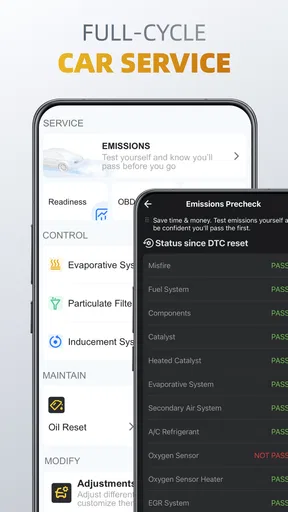
Another standout feature is the app's ability to generate detailed reports of your car’s health. These reports are easy to understand and can be particularly useful if you’re trying to diagnose a recurring issue or just want to keep a record of your vehicle’s performance over time.
"The ability to read trouble codes and clear them without a trip to the mechanic? That’s a win in my book."
User Experience
Using OBDocker is like having a mini mechanic in your pocket. The app is designed to be user-friendly, with clear instructions and easy navigation. Even if you’re not a car enthusiast, the app makes it simple to understand what’s going on with your vehicle.
One thing I particularly liked is the customizable dashboard. You can set up your display to show the metrics that matter most to you. Whether you’re interested in fuel efficiency, speed, or engine temperature, you can tailor the app to suit your needs.
Making the readings useful in everyday life
A good time to open the app is when a warning appears but the car still feels normal. I’d pull over somewhere safe, connect the adapter while parked, read the code, and note the exact wording before deciding what to do. If I later speak with a mechanic, that record can make the first conversation more focused: I can describe the alert and the car’s behavior instead of relying on a vague memory of a dashboard light.
For example, on the way to work I might notice a check-engine warning during an otherwise ordinary drive. I would not try to diagnose it while moving or erase the code just to make the light disappear. I’d wait until I’m safely parked, scan it, and keep the result alongside any symptoms such as rough running or a change in fuel use. If the car feels unsafe, I’d stop driving and get professional help rather than letting an app reading reassure me.
The live dashboard is more valuable when I use it to answer a specific question instead of staring at every number. If I’m checking whether engine speed changes smoothly, I can prioritize RPM and keep the rest of the display uncluttered. A practical tip is to set up a small number of relevant readings before a drive, then observe them only when it is safe to do so—ideally with a passenger handling the phone. The app can make information easier to access, but it should never become a reason to look at a screen in traffic.
Reports have a different job from live readings. I’d save or review them when tracking a recurring concern, then compare the documented results with the dates and circumstances I remember. That can help distinguish a one-off warning from a pattern worth investigating. It is also a sensible way to prepare for a service visit, though a report is supporting information rather than proof that a component is healthy or faulty.
Where a dedicated scanner or mechanic makes more sense
Compared with a basic handheld code reader, a phone-based setup can be easier to carry and more flexible for viewing live readings or keeping app-based records. The trade-off is that it depends on a separate adapter, a phone connection, and the app working together. Someone who wants a single purpose-built device that can be picked up and used without setting up a phone may prefer a dedicated scanner instead.
At the other end, a professional diagnostic service is the better choice when a problem is intermittent, affects safety, or needs a deeper inspection than reading codes and viewing available data. A general OBD2 scan can be a useful first step, but it does not replace a mechanic’s testing and experience. I would also be cautious about assuming every car exposes every reading in the same way; what is available can depend on the vehicle and adapter, so I’d verify compatibility before building a maintenance routine around a particular metric.
There is a real cost-of-switching question if I already use another scanner. The app may make sense if I want to move toward phone-based reports and a configurable dashboard, but changing tools also means learning a new layout and checking whether my existing adapter works with it. I would not buy another adapter simply because an app looks appealing until I’ve checked the connection requirements. If my current reader reliably handles the occasional code check I need, switching may add little practical value.
Why You’ll Love It
So, why should you download OBDocker? For starters, it’s a cost-effective way to keep an eye on your car’s health. Regular check-ups can prevent costly repairs down the line, and having this kind of information at your fingertips empowers you as a car owner.
The app also offers a sense of security. Knowing you can diagnose issues on the spot is a huge relief, especially if you’re on a road trip or far from a garage. Plus, the ability to clear codes means you can avoid those pesky check engine lights when the problem isn't serious.
Who is likely to get the most from it?
I see the strongest fit for owners who like to be prepared, want to understand a warning before calling a garage, or enjoy checking a few engine readings over time. It can also suit a household with more than one driver: a shared record of scans and reports may help everyone explain what happened, rather than relying on one person to remember the details. For a hands-on owner, the combination of code access and a tailored dashboard is more useful than a light that only says something needs attention.
It is less compelling if I never want to handle an adapter, have no interest in interpreting vehicle information, or expect the app to identify and fix a fault automatically. It is also not my first choice for someone who needs a guaranteed answer to a complex mechanical problem. In those situations, a repair professional—or a scanner designed for a particular diagnostic task—can save time and prevent false confidence.
Before relying on it on a trip, I’d test the adapter and connection at home while parked. That small dry run helps me learn where the port is, how the pairing process behaves, and how to find a report without the pressure of a warning appearing far from home. I’d also keep a record of the original code before clearing anything. A warning that returns after clearing is information worth investigating, not merely an annoyance to erase.
Final Thoughts
In a nutshell, OBDocker - OBD2 Car Scanner is a must-have for anyone who wants to take control of their car’s maintenance. It’s easy to use, packed with features, and provides invaluable insights into your vehicle’s performance. Whether you’re a seasoned car enthusiast or just looking to keep your car in good shape, this app is worth checking out.
Ready to give it a go? Head over to the app store and download OBDocker today. Trust me, your car (and your wallet) will thank you.
My recommendation
I’d try it if I already have a compatible adapter, or if I’m happy to choose one carefully and want a phone-based way to read codes, watch selected live data, and keep reports. Its free download lowers the barrier to exploring the interface, although in-app purchases mean I’d check what a desired tool costs before depending on it. The current version is 3.2.6, and it runs on Android 7.0 or later, which is useful to check before installing on an older device.
For a casual driver who only wants occasional reassurance, a basic reader or a mechanic’s scan may be simpler. For someone who likes understanding what the car is reporting and wants a more flexible view than a warning light alone, I think OBDocker is a worthwhile option—as long as I treat its readings as a starting point, not a substitute for sound diagnosis.
Verdict
Strengths of OBDocker - OBD2 Car Scanner
- User-friendly interface for easy navigation.
- Comprehensive vehicle diagnostics coverage.
- Real-time data monitoring and analysis.
- Supports multiple car models and brands.
- Offline mode available for data review.
Limitations of OBDocker - OBD2 Car Scanner
- Requires a compatible OBD2 adapter.
- Some features locked behind a paywall.
- Occasional connectivity issues reported.
- Limited support for older vehicle models.
- No built-in tutorial for beginners.
Similar Picks in This Category
View All
Android Auto
Google LLC4.1

maxim — order a taxi & food
PT. SITO4.7

Штрафы ГИБДД: проверка с фото
Pays LLC – Штрафы ГИБДД4.7

Номерограм – проверка авто
Авто Ассист4.8

Дром Авто
Дром4.9

Frequently Asked Questions
What is OBDocker and how does it work?
OBDocker is a powerful OBD2 car scanner app designed to diagnose vehicle issues through your smartphone. By connecting to an OBD2 adapter, it reads data from your car's computer system, helping you understand error codes, monitor performance, and perform real-time diagnostics. It's a must-have tool for anyone looking to maintain their vehicle's health efficiently.
Is OBDocker compatible with all vehicles?
OBDocker is compatible with most vehicles manufactured after 1996, which are equipped with an OBD2 port. However, compatibility might vary based on the specific make and model of your vehicle. It's advisable to check the app's compatibility list or consult with the manufacturer to ensure it meets your vehicle's requirements before downloading.
What features does OBDocker offer?
OBDocker offers a range of features, including real-time data monitoring, diagnostic trouble code (DTC) reading and clearing, fuel efficiency tracking, and performance analysis. It provides detailed insights into engine parameters and helps you understand and resolve vehicle issues, making it an essential tool for both casual drivers and car enthusiasts.
Does OBDocker require any additional hardware?
Yes, OBDocker requires an OBD2 adapter to connect your smartphone to your vehicle's OBD2 port. These adapters are generally available in Bluetooth or Wi-Fi variants. Once connected, the app communicates with your car's onboard system to deliver diagnostics and performance data directly to your phone.
Is OBDocker easy to use for beginners?
OBDocker is designed with user-friendliness in mind, offering an intuitive interface that makes it accessible even for beginners. The app provides clear instructions and explanations for error codes and diagnostics, helping users quickly grasp the information provided. Whether you're a car novice or a seasoned enthusiast, you’ll find OBDocker straightforward and helpful.
